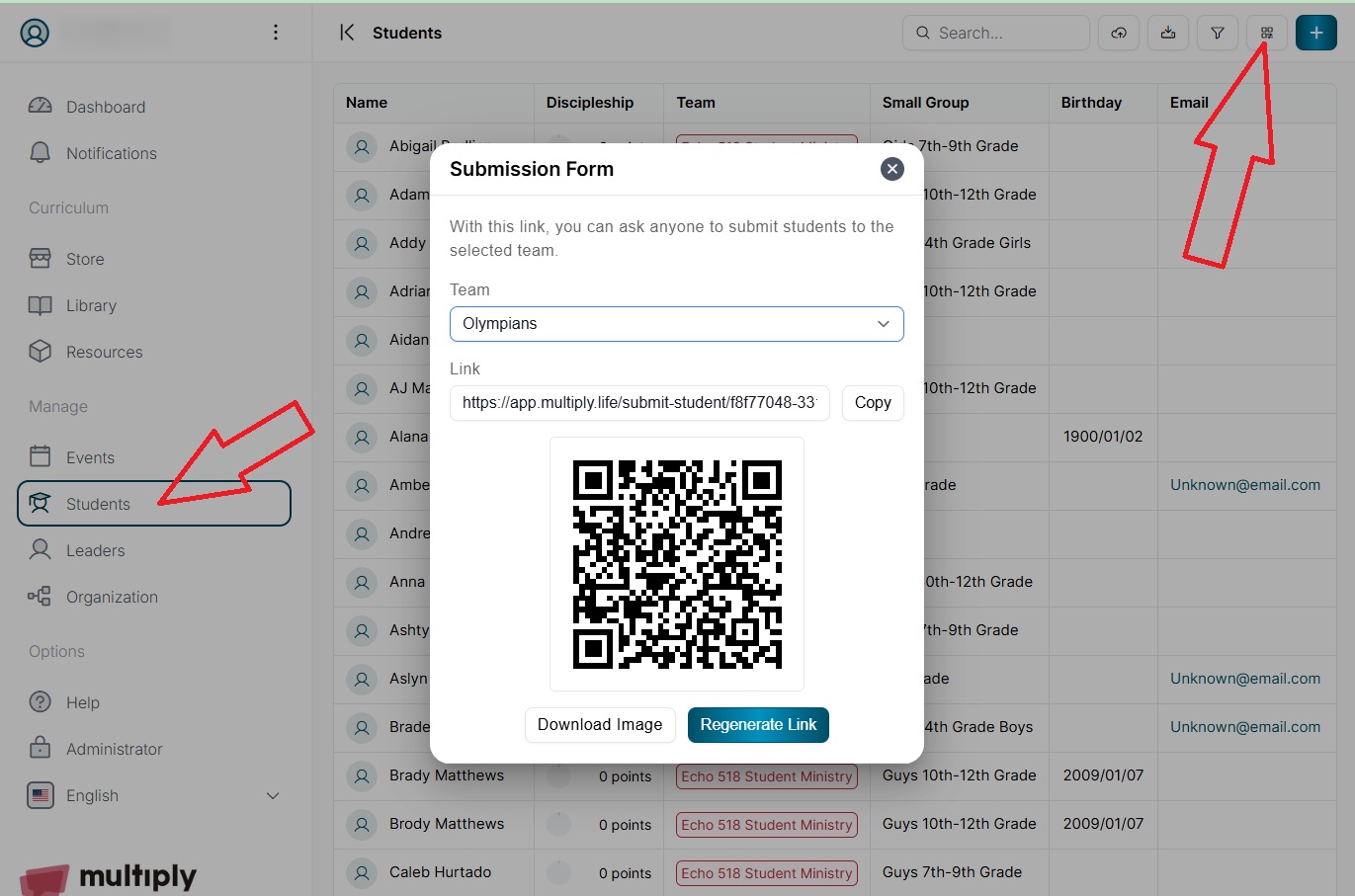
Parents can register Students for Multiply(see screen shot below)
We now have a way for churches to allow parents to add students to the multiply app.
Once in the desired church in Multiply, select "Students" in the menu on the left and then in the upper right-hand corner of the window select the button that says “Submit form” when you hover over it. This will bring up the Submission Form tool. It will ask you to select the Team (OLY, GB, Fifty1) you are setting this up for and give you a link you can share or a QR code you can display for parents. It will direct the parent to a form that they can fill out to add their student.